Loading files
This file is pinned to the selected release. Download the original to open it in your design tool.
# Project North Star: Software
This Unity Package contains the Unity Assets, Scenes, and Prewarping systems necessary to build Unity applications with the Project North Star headset.
## Compatibility
**These assets require the [Multi-Device Beta Service](https://github.com/leapmotion/UnityModules/tree/feat-multi-device/Multidevice%20Service) to display hands.**
These assets are dependent on [Release 4.4.0](https://github.com/leapmotion/UnityModules/pull/1010) of the [Leap Motion Unity Modules](https://github.com/leapmotion/UnityModules) (included in the package).
[](https://github.com/leapmotion/ProjectNorthStar/tree/master/Software)
## Getting Started:
- Make sure your North Star AR Headset is plugged in
- Create a new Project in Unity 2018.2 or above
- Import "LeapAR.unitypackage"
- Navigate to `LeapMotion/North Star/Scenes/NorthStar.unity`
- Click on the `ARCameraRig` game object and look for the `WindowOffsetManager` component
- Here, you can adjust the X and Y Shift that should be applied to the Unity Game View for it to appear on the North Star's display
- When you're satisfied with the placement; press "Move Game View To Headset"
- With the Game View on the Headset, you should be able to preview your experience in play mode!
Key Code Shortcuts in `NorthStar.unity` (in the Editor with the Game View in focus and playing)
- `C` to Toggle Visibility of Calibration Bars
## Calibrating your Headset
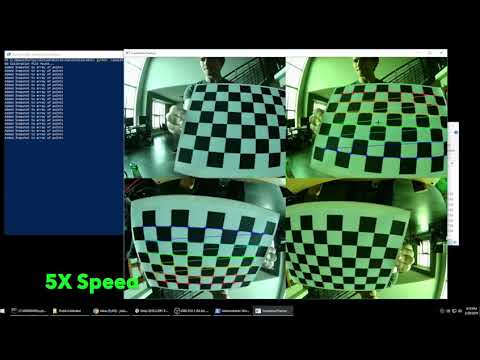
We have included a pre-built version of the internal calibration tool. We can make no guarantees about the accuracy of the process in DIY environments; this pipeline is built from multiple stages, each with multiple points of failure. Included in the .zip file are a python script for calibrating the calibration cameras, a checkerboard .pdf to be used with that, and Windows-based Calibrator exe, and a readme describing how to execute the entire process.
## Click for friendlier video overview:
[](http://www.youtube.com/watch?v=twyUk7MtiHo "Calibration Overview")45e62ed2aThis file is pinned to the selected release. Download the original to open it in your design tool.