Loading files
701e58161This file is pinned to the selected release. Download the original to open it in your design tool.
Files from this revision, including CAD and LFS contents. Git history is not included.
Or in GitHub Desktop, choose File → Clone repository → URL and paste this address.
Public repositories can be cloned without signing in. For pushing, use your ThingAtlas username and a Git access token as the password.
git lfs install
git clone https://thingatlas.com/git/-unclaimed/tulipcc-498083946.git
Includes Git history, branches, and Git LFS files. Clones the repository’s default branch, regardless of the version shown here.
# The Tulip Creative Computer Board
## 🌈🌈 Revision 9 🌈🌈
This page is for **revision 9**.
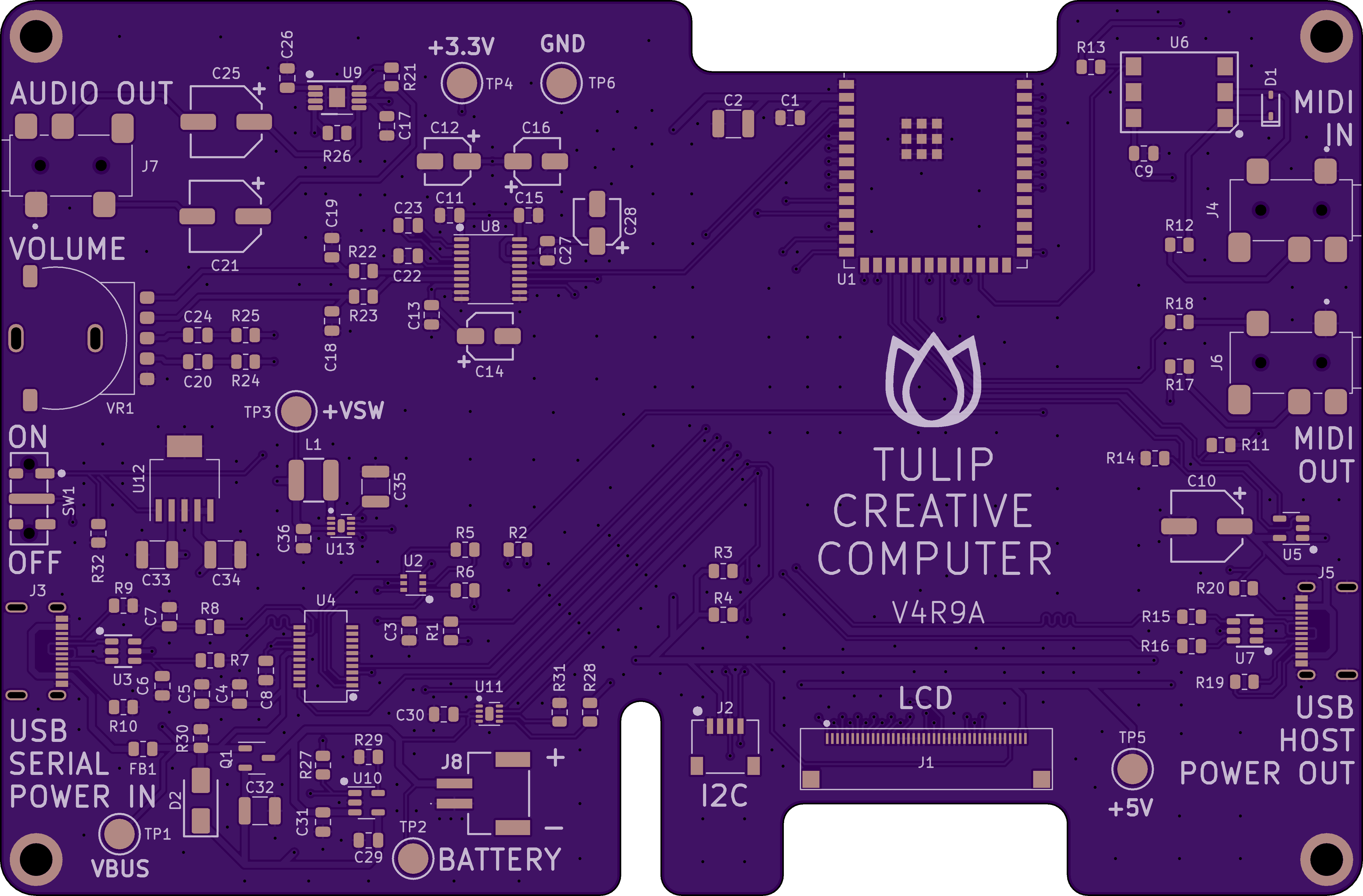
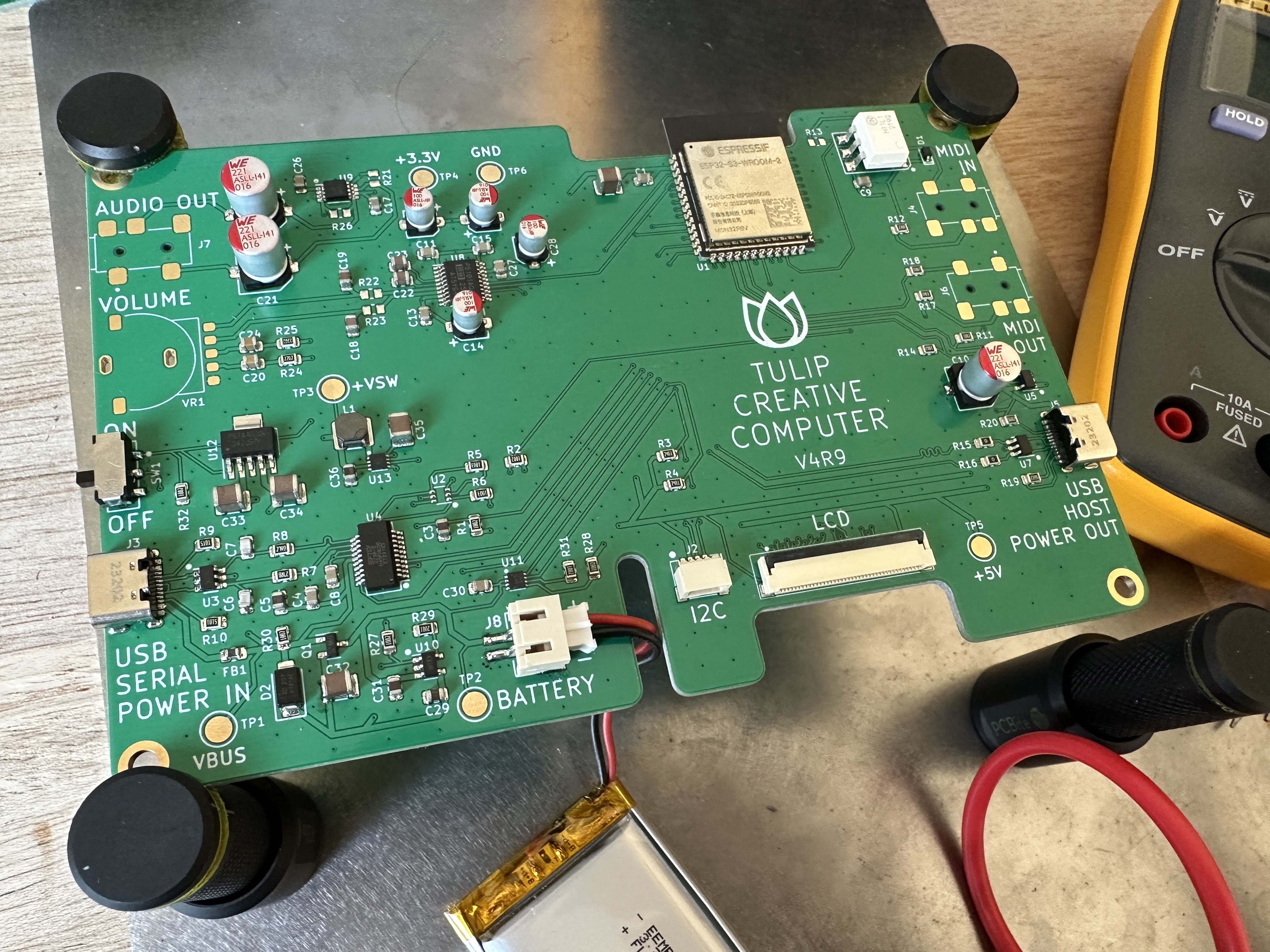
TulipCC fan NicoVR designed an integrated [Tulip CC](../README.md) board. It's the nicest way to DIY your own Tulip: a display FPC connector, USB-C connector for charging, power and flashing, USB keyboard connector, 3 3.5mm jacks for audio + headphone out, MIDI in, and MIDI out, a power switch, and I2C "grove / stemma" header.
If you're comfortable with surface mount soldering, you can put together your own board relatively easily. You can order the PCBs from any board manufacturer like OSH Park, PCBway, or JLCPCB. You can also upload the BOM file to a service to have the entire board manufactured for you.
[The BOM for the latest revision is here.](https://github.com/shorepine/tulipcc/blob/main/docs/pcbs/tulip4_board_v4r9/tulipcc-bom.xlsx) [KiCad files are here.](https://github.com/shorepine/tulipcc/tree/main/docs/pcbs/tulip4_board_v4r9)
_Almost_ any USB keyboard should work.
If this looks too hard, you can [instead make a breakout board with just through hole solder](tulip_breakout.md), or [with no soldering and a breadboard.](tulip_breadboard.md)
## Assembly tips
I've found assembling a Tulip with a hot plate and stencil the easiest way to go. You can get stencils from your PCB manufacturer when you're ordering the boards.
Attach the FPC cable to the RGB port on the display. You can use the cable that comes with the display.
## Power
The board can be powered from USB-C or via battery.

## MIDI
The 3.5mm MIDI jacks are for Type A TRS MIDI connectors. If you want to wire them to full size MIDI connectors, you should get [Type A converters.](https://www.amazon.com/ZAWDIO-Breakout-LittleBits-Female-Electribe/dp/B08WHSP7ZL/) You can also get Type-A to Type-B converter cables if your equipment is mostly Type B.
## Flash and startup
After you're done assembling, [read about how to compile and flash Tulip.](tulip_flashing.md)
701e58161This file is pinned to the selected release. Download the original to open it in your design tool.