Loading files
This file is pinned to the selected release. Download the original to open it in your design tool.
# Running_skyline
Generate a 3D Skyline in STL format and from `Strava` or `GPX`

## Installation
1. Make sure your python >= 3.6
2. pip install -r requirements.txt
3. Install [OpenSCAD](https://www.openscad.org/downloads.html) and ensure that openSCAD executable
## How to use
You have two ways to use
- From strava
<details>
<summary> Get your <code>Strava</code> auth </summary>
<br>
1. Sign in/Sign up [Strava](https://www.strava.com/) account
2. Open after successful Signin [Strava Developers](http://developers.strava.com) -> [Create & Manage Your App](https://strava.com/settings/api)
3. Create `My API Application`: Enter the following information
<br>
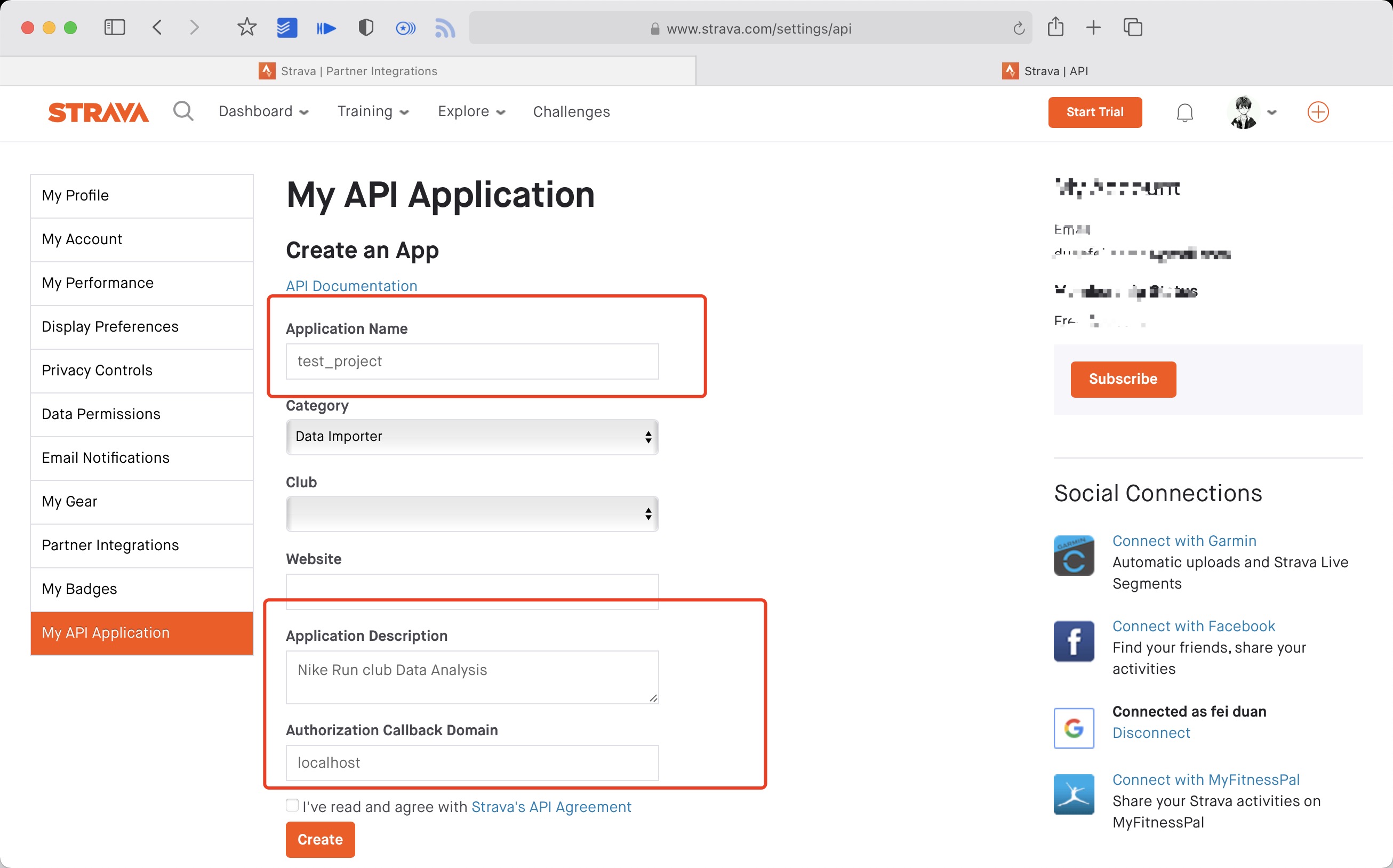
Created successfully:
<br>

4. Use the link below to request all permissions: Replace `${your_id}` in the link with `My API Application` Client ID
```
https://www.strava.com/oauth/authorize?client_id=${your_id}&response_type=code&redirect_uri=http://localhost/exchange_token&approval_prompt=force&scope=read_all,profile:read_all,activity:read_all,profile:write,activity:write
```
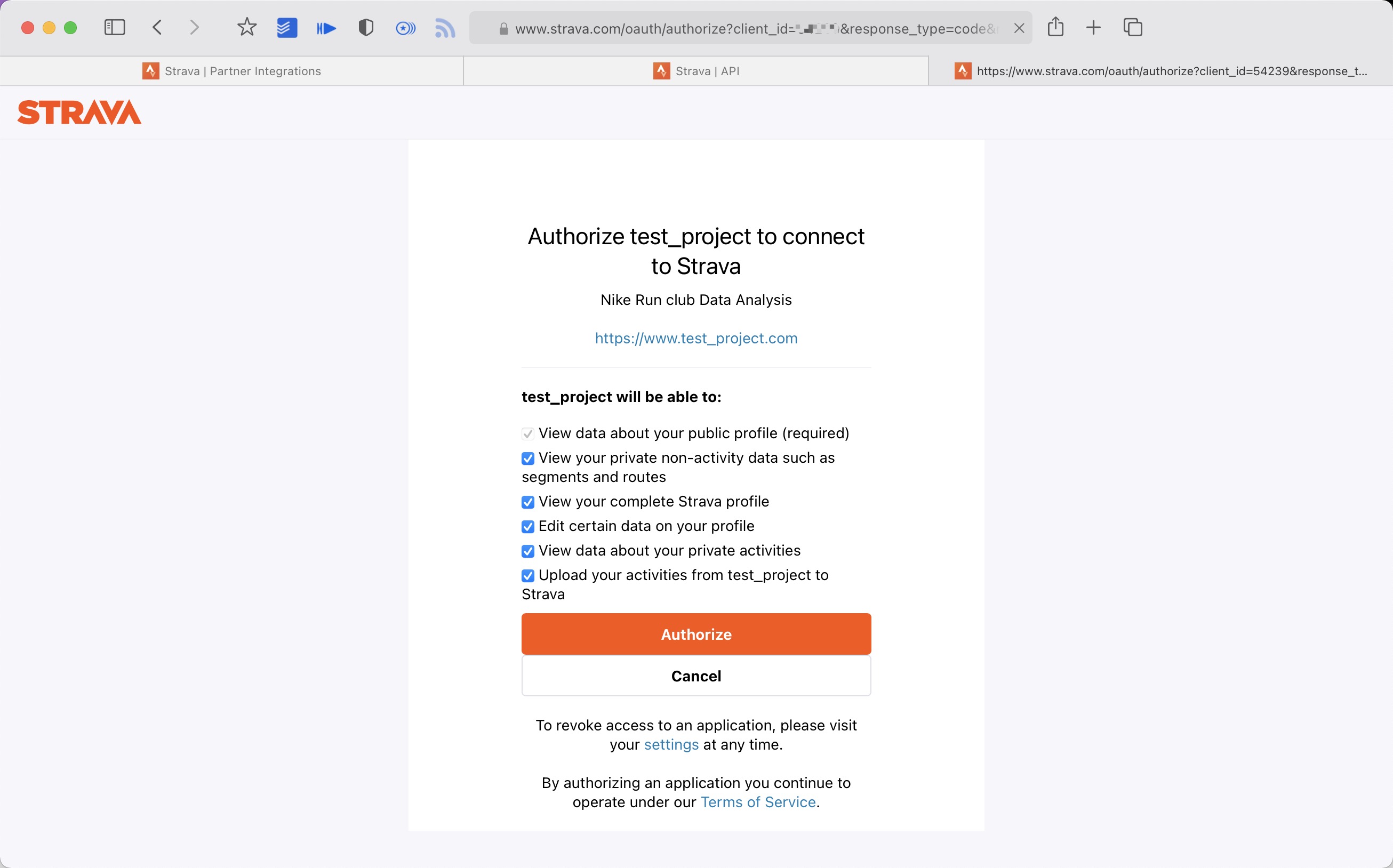
5. Get the `code` value in the link
<br>
example:
```
http://localhost/exchange_token?state=&code=1dab37edd9970971fb502c9efdd087f4f3471e6e&scope=read,activity:write,activity:read_all,profile:write,profile:read_all,read_all
```
`code` value:
```
1dab37edd9970971fb502c9efdd087f4f3471e6
```
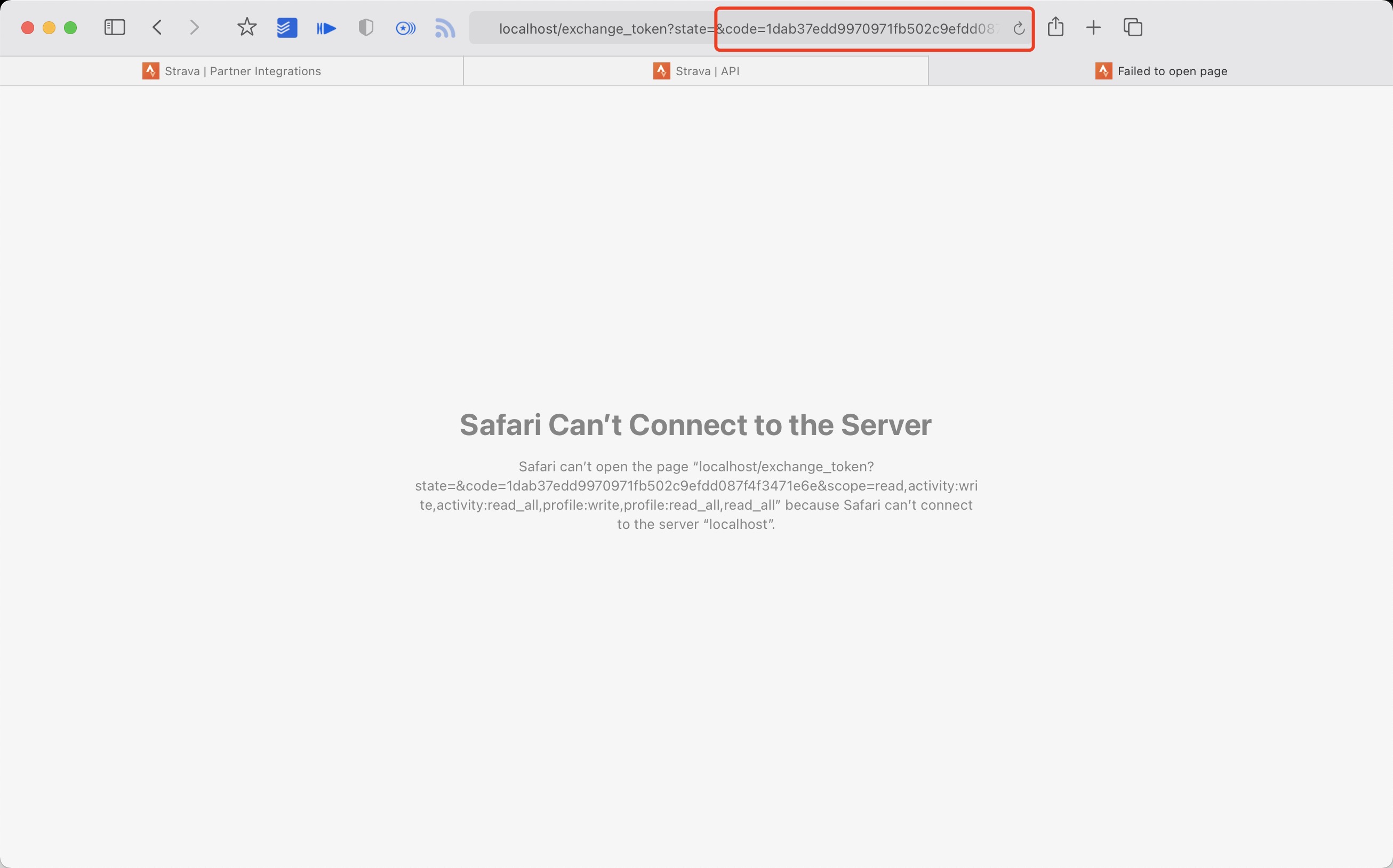
6. Use `Client_id`、`Client_secret`、`Code` get `refresch_token`: Execute in `Terminal/iTerm`
```
curl -X POST https://www.strava.com/oauth/token \
-F client_id=${Your Client ID} \
-F client_secret=${Your Client Secret} \
-F code=${Your Code} \
-F grant_type=authorization_code
```
example:
```
curl -X POST https://www.strava.com/oauth/token \
-F client_id=12345 \
-F client_secret=b21******d0bfb377998ed1ac3b0 \
-F code=d09******b58abface48003 \
-F grant_type=authorization_code
```

</details>
use this command line to generate stl file
```shell
python3 skyline.py --type strava --client_id xxxxxx --client_secret xxxx --refresh_token xxxxxx --year {year} --runner {your_name}
```
- From `GPX`
You can generate your running gpx from my other repo -- [running_page](https://github.com/yihong0618/running_page) than copy the whole gpx files to `GPX_DIR`
use this command line to generate stl file
```shell
python3 skyline.py --type gpx --year {year} --runner {your_name}
```
**Please make sure your name length < 10**
# [example](https://github.com/yihong0618/running_skyline/blob/main/example/running_yihong0618_2020.stl)
# Contribution
- Any Issues PR welcome.
Before submitting PR:
- Format Python code with Black
# Special thanks
- @[felixgomez](https://github.com/felixgomez/gitlab-skyline) great [repo](https://github.com/felixgomez/gitlab-skyline)
# Show

f111eb177This file is pinned to the selected release. Download the original to open it in your design tool.