Loading files
This file is pinned to the selected release. Download the original to open it in your design tool.
e06d35797This file is pinned to the selected release. Download the original to open it in your design tool.
# DIY OpenFAN Micro
## What is this project about?
[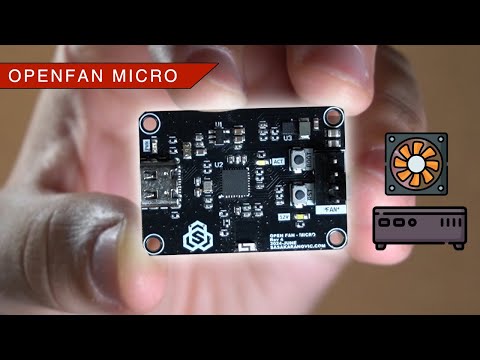](http://www.youtube.com/watch?v=TqN-tWI42gE "DIY OpenFAN Micro")
Above video shows the finished OpenFAN Micro, how it works and the motivation behind some of design decisions.
Some of the main features of the OpenFAN Micro are:
- Control a single 5V or 12V PWM fan over WiFi
- Fully stand-alone with built-in remote control
- Has a built-in USB bootloader for smooth firmware upgrade experience
- Web GUI to control and monitor fan. Accessible via web browser
- Built in Web API interface for integration, remote monitoring or remote control
- Built using simple off-the-shelf components to make it hacker/diy friendly
- Designed to be platform/OS agnostic and works on Windows, Linux and Mac
<br/><br/>
## Can I buy OpenFAN Micro
Yes you can. It's available on the [web shop](https://shop.sasakaranovic.com/products/openfan-micro).
<br/><br/>
## Can I build my own?
Yes you can. The above video explains the idea and how hardware and firmware works. It's recommended that you watch that first.
Hardware, Firmware and Software build instructions and source files are available in this repository.
<br/><br/>
## Where can I find more documentation
Project documentation and quick-start guide is available on [docs.sasakaranovic.com](https://docs.sasakaranovic.com/openfan_micro/).
<br/><br/>
## What platforms are supported?
OpenFAN Micro is designed to be platform agnostic. This means you can use it on Windows, Linux and Mac.
You can control it manually via built in Web UI.
Or automate control using built in Web API and you automation/scripting of choice.
<br><br>
## Useful links
Blog page: https://sasakaranovic.com/projects/openfan-controller/
YouTube video: http://www.youtube.com/watch?v=TqN-tWI42gE
<br/><br/>
#### Sasa Karanovic
<a href="https://sasakaranovic.com/" target="_blank" title="Sasa Karanovic Home Page"><img src="https://raw.githubusercontent.com/SasaKaranovic/common/master/assets/img_home.png" width="16"> Home Page</a> ·
<a href="https://youtube.com/c/sasakaranovic" target="_blank" title="Sasa Karanovic on YouTube"><img src="https://raw.githubusercontent.com/SasaKaranovic/common/master/assets/img_youtube.png" width="16"> YouTube</a> ·
<a href="https://github.com/sasakaranovic" target="_blank" title="Sasa Karanovic on GitHub"><img src="https://raw.githubusercontent.com/SasaKaranovic/common/master/assets/img_github.png" width="16"> GitHub</a> ·
<a href="https://twitter.com/_sasakaranovic_" target="_blank" title="Sasa Karanovic on Twitter"><img src="https://raw.githubusercontent.com/SasaKaranovic/common/master/assets/img_twitter.png" width="16"> Twitter</a> ·
<a href="https://instagram.com/_sasakaranovic_" target="_blank" title="Sasa Karanovic on Instagram"><img src="https://raw.githubusercontent.com/SasaKaranovic/common/master/assets/img_instagram.png" width="16"> Instagram</a> ·
<a href="https://github.com/sponsors/SasaKaranovic" target="_blank" title="Sponsor on GitHub"><img src="https://raw.githubusercontent.com/SasaKaranovic/common/master/assets/img_github.png" width="16"> Sponsor on GitHub</a>